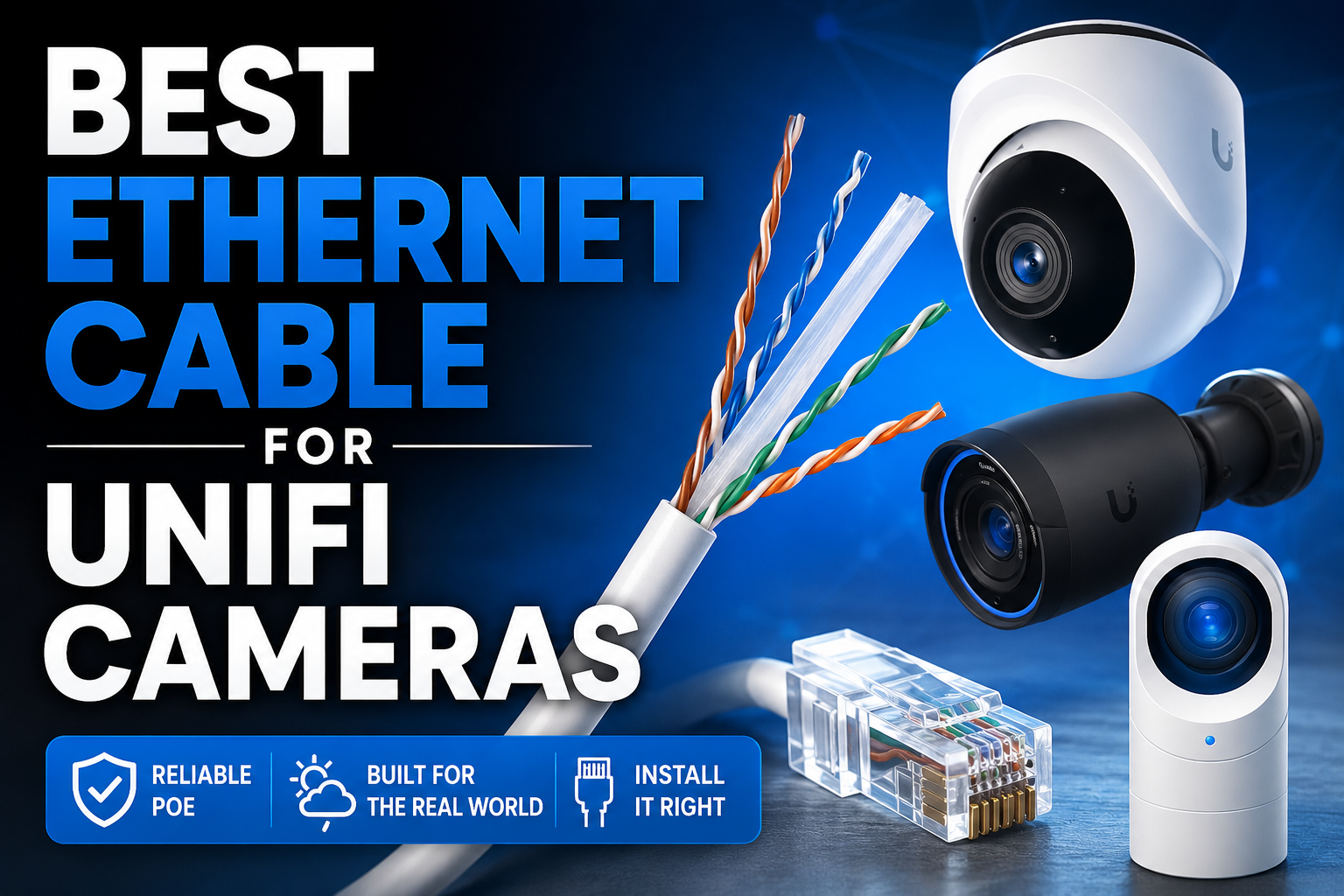
Choosing the best Ethernet cable for UniFi cameras can make a huge difference to reliability, installation difficulty and long-term upgrade potential. While most UniFi Protect cameras do not need massive bandwidth, they do rely heavily on stable PoE connectivity and good quality cabling. Many installers automatically reach for Cat6a or even Cat7, but in reality that often creates more problems than benefits in home and small business installs.
In this guide, we will break down what UniFi cameras actually require, when Cat5e still makes sense and where Cat6 becomes the better long-term option. We will also look at future proofing, PoE performance and the practical realities of pulling cable through walls, loft spaces and conduit. For example, Cat6a offers excellent performance on paper, but its thicker shielding and stiffness can quickly turn a simple camera install into a frustrating job.
We will also cover the differences between indoor and outdoor cable, when to use shielded cable and whether conduit makes sense for your installation. By the end of this guide, you should have a much clearer idea of which Ethernet cable works best for your UniFi camera setup without overspending or making installation harder than it needs to be.
Why Trust This Guide?
We are Ubiquiti specialists and have installed hundreds of UniFi cameras across a wide range of commercial and domestic environments. This guide is based on real installation experience, not just cable specifications on paper.
Want to see our work? Check out our Instagram →
A Quick Reminder: What Can These Ethernet Cables Actually Do?
Before choosing the best Ethernet cable for UniFi cameras, it helps to understand what the different cable categories actually support in the real world.
Cat5e still handles far more than many people think. The general rule says Cat5e supports 1Gbps networking, but good quality Cat5e cable can also handle 2.5Gbps over shorter distances. Very short runs can even manage 10Gbps in some situations, although that falls well outside official specifications.
Cat6 pushes things further. It comfortably handles Gigabit and 2.5Gbps networking and can also support 10Gbps over shorter runs, usually somewhere around 30 to 40 metres depending on cable quality and installation conditions.
Cat6a takes things another step forward and officially supports 10Gbps over the full 100 metre Ethernet specification. It also includes additional shielding and tighter construction to reduce interference and signal loss.
However, this is where reality becomes important for UniFi camera installs.
Almost all UniFi Protect cameras either use Fast Ethernet 100Mbps ports or standard Gigabit ports. In other words, even the highest-end UniFi cameras come nowhere near saturating modern Ethernet cabling. A single 4K security camera stream only uses a fraction of the bandwidth available on Cat5e.
That means raw bandwidth usually should not drive your cable choice for CCTV installations. Installation practicality, cable quality, PoE reliability, outdoor protection and future proofing matter far more in most home and small business deployments.
Ethernet Cable Speed Comparison
| Cable Category | Typical Speed | Higher Speed Support | Camera Install Notes |
|---|---|---|---|
| Cat5e | 1Gbps | 2.5Gbps on shorter runs, 10Gbps only on very short runs | Works for cameras, but we only tend to use it where cable space is very tight. |
| Cat6 | 1Gbps / 2.5Gbps | 10Gbps up to around 30–40 metres | Best overall choice for most UniFi camera installations. |
| Cat6a | 10Gbps | 10Gbps up to 100 metres | Usually too thick and stiff for camera installs. Overkill for UniFi cameras. |
| Cat7 | 10Gbps+ | Designed for higher-frequency shielded applications | Not recommended for CCTV. Adds complexity without useful benefit. |
| Cat8 | 25Gbps / 40Gbps | Short data-centre style runs | Completely unnecessary for UniFi cameras and very impractical to install. |
What About Future Proofing?
Future proofing always comes up when discussing the best Ethernet cable for UniFi cameras, but it helps to stay realistic about how security cameras actually evolve.
Unlike WiFi access points, servers or high-performance networking equipment, security cameras have not seen massive increases in bandwidth requirements over the years. Modern 8MP and 4K cameras still run perfectly well over 100Mbps connections because video compression has improved alongside camera quality.
At the moment, there is very little reason for manufacturers to add ultra-fast network ports to CCTV cameras. A faster port increases cost, power usage and complexity without providing much real-world benefit in most residential, commercial and small business deployments.

Some good examples are the UniFi G6 Pro 360. Despite being a 12MP advanced AI-powered camera, it still only uses a 100Mbps Ethernet connection. Another great example is the UniFi AI Multi Sensor. Despite combining four cameras into a single 32MP device, it still only uses a standard Gigabit Ethernet port.
That tells us a lot about the actual bandwidth requirements of modern surveillance systems.
Could future cameras eventually require faster connections? Possibly. Technology always changes and nobody can predict exactly where things will go over the next decade. However, it seems far more likely that manufacturers will continue improving video compression and AI processing efficiency rather than pushing huge amounts of raw video data across networks.
After all, nobody wants their network saturated with camera traffic, especially in larger deployments with dozens or even hundreds of cameras.
For most UniFi Protect installations, even well-made Cat5e cable already provides more than enough bandwidth headroom. Cat6 simply adds another layer of flexibility and reassurance for future upgrades without making installation dramatically more difficult.
Reality Check: Installing Camera Cable in the Real World
If you have ever installed UniFi cameras, you will already know that cable specifications on paper only tell half the story. The physical characteristics of the cable matter just as much as bandwidth ratings once you actually start pulling cable through walls, loft spaces and camera mounts.
Cat5e remains popular partly because it is thin, flexible and easy to work with. You can route it into tight spaces, bend it around corners and tuck it neatly behind cameras without much effort. It also works very well with the compact mounting systems used on many UniFi Protect cameras.
However, we still generally avoid using Cat5e for new installations. In my view, Cat5e has become largely redundant now that Cat6 is affordable, widely available and much better suited to modern networking equipment.
The main exception is doorbells and certain very tight installations.
With video doorbells, the issue usually is not the device itself but the route to it. We often need to feed cable through extremely tight gaps around door frames, brickwork and existing entry points where Cat6 simply becomes too thick or too stiff to work with comfortably. In those situations, the smaller size and flexibility of Cat5e can make installation much easier.
Cat6 still installs fairly easily, but you immediately notice the difference. The cable feels thicker, stronger and less forgiving than Cat5e. In most situations that is not a major problem, especially if you want some additional future proofing, but it does make installation slightly more awkward.

Cat6a and above move into a completely different category.
The cable becomes noticeably thicker, heavier and much stiffer due to additional shielding and internal separation. In real-world camera installs, this quickly becomes frustrating. Weatherproof grommets often struggle to fit properly and cable entry gaps on camera bases become too tight for the thicker cable.
In many cases, Cat6a simply does not physically suit compact CCTV hardware.
Personally, I would never recommend Cat6a, Cat7 or Cat8 for UniFi camera installations. The extra bandwidth offers virtually no practical benefit for CCTV systems, but the larger cable size makes installation significantly harder. Unless you are dealing with an extremely specialised commercial environment with unusual interference requirements, the trade-off simply does not make sense.
If that sounds exaggerated, try it! Compare the experience against Cat5e or Cat6. You will understand very quickly why most professional CCTV installers avoid using excessively thick cable for standard camera deployments.
Related Guide
Ubiquiti AI Turret vs G6 Turret
Choosing cameras as well as cable? Read our UniFi Protect camera comparison before deciding which model suits your installation.
Read the Camera Comparison →Choosing the Right Cable Type
When installing UniFi cameras, we normally try to keep cables concealed wherever possible. That is partly for aesthetics, but it is also an important security consideration. Exposed camera cables can potentially be cut or damaged, which immediately creates a vulnerability in the surveillance system.
In most installations, we will hide cables completely inside walls, loft spaces, soffits or ceiling voids. If concealment is not possible, then conduit usually becomes the best option for protecting the cable run.
However, if any part of the cable will remain exposed outdoors, the cable type itself becomes extremely important.
Sunlight contains UV radiation which slowly damages standard internal Ethernet cable. Over time, the outer sheath becomes brittle and eventually starts to crack, especially on south-facing walls or areas with prolonged sun exposure. Once the sheath fails, moisture can enter the cable and eventually cause corrosion, instability or complete cable failure.

External Ethernet cable is specifically designed to resist UV exposure and harsh weather conditions. A good quality external cable can last for many years outdoors without degrading in the same way as internal cable.
As a general rule, always use external-rated cable outdoors or ensure the cable remains properly contained and protected.
Solid core cable also makes a much better choice for permanent camera installations. It performs better over longer distances, handles PoE more reliably and generally provides a more stable long-term installation. Stranded cable still works perfectly well for shorter runs, patch leads and temporary setups, but we would normally choose solid core for fixed infrastructure.
If you are not comfortable terminating Ethernet cable yourself, there is absolutely nothing wrong with using pre-made patch leads for shorter runs. A properly manufactured patch lead will often perform better than a poorly terminated cable anyway.
One final point worth mentioning is to avoid Copper Clad Aluminium (CCA) cable.
CCA cable uses aluminium conductors coated with a thin layer of copper instead of solid copper conductors. Although it may appear to work fine initially, it generally provides lower quality performance and creates a far less reliable long-term installation, especially when using PoE devices like UniFi cameras.
CCA cable also tends to terminate poorly, suffers more voltage drop and can become far more problematic over longer runs.
Be especially careful when buying cable from marketplaces like eBay or Amazon unless you fully trust the seller and understand exactly what you are purchasing. A lot of extremely cheap Ethernet cable uses CCA construction because it costs far less to manufacture.
As a general rule, if the price seems too good to be true, there is a good chance the cable is CCA.
Related Guide
UniFi Protect Viewport vs Apple TV
Once your UniFi cameras are installed, you will need a good way to view them. We compare the UniFi Protect Viewport against Apple TV 4K and explain why Apple TV may actually be the better and more flexible option for many UniFi Protect deployments.
Read the Comparison →Shielded vs Unshielded Ethernet Cable
For most UniFi camera installations, unshielded cable (UTP) works perfectly well.
Modern Ethernet cable already handles interference surprisingly well and most residential, office and retail environments simply do not create enough electrical noise to justify shielded cable. In many situations, shielded cable actually adds unnecessary cost and installation complexity without providing any real-world benefit.
Shielded cable starts to make more sense in environments with high electrical interference. For example:
- industrial buildings
- factories
- workshops
- large plant rooms
- cable runs alongside heavy power cables
- areas with significant electrical equipment
However, shielded cable also introduces grounding considerations. If shielded cable is installed incorrectly or grounded badly, it can sometimes create more problems than it solves.
For the vast majority of UniFi Protect installations, we would normally recommend good quality unshielded solid copper Cat6 cable.
What If You Already Have Cable Installed?
If a building already has Ethernet cable in place, that is usually excellent news for a UniFi camera installation.
Even older Cat5e cable often works perfectly well for modern CCTV systems because UniFi cameras simply do not require huge amounts of bandwidth. In many upgrades, we reuse existing structured cabling without any issues at all.
However, we would always recommend properly testing existing cable runs before relying on them for cameras. Poor terminations, damaged cable, water ingress or low-quality CCA cable can all cause intermittent PoE and connectivity problems that become extremely frustrating to diagnose later.
If you already have Ethernet installed and it tests correctly, there is often very little reason to replace it purely for bandwidth reasons.
Coaxial cable is a different story.
Traditional coaxial CCTV cabling does not work directly with UniFi Protect cameras. While adapters and converters technically exist, they rarely make sense financially or practically compared to running proper Ethernet cable. If the property only has coaxial infrastructure, we would normally recommend replacing it with Ethernet properly rather than trying to build around outdated cabling.


So What Do We Actually Use?
For the vast majority of UniFi camera installations, we use solid copper Cat6 external cable.
It offers the best balance between:
- installation practicality
- long-term reliability
- PoE performance
- future proofing
- cost
For outdoor installations, we always use external-rated cable unless the cable remains fully protected inside conduit or building structure.
We avoid Cat6a, Cat7 and Cat8 completely for standard CCTV deployments because the additional thickness and stiffness create installation problems without delivering meaningful benefits for camera systems.
We also generally avoid Cat5e for new installs unless we are dealing with very tight cable routes such as video doorbells where the smaller cable size genuinely makes installation easier.
Most importantly, we always use proper solid copper cable from reputable suppliers and avoid cheap CCA cable entirely.
Related Guide
Fix UniFi Camera Flickering LED Lights
Poor quality cable, electrical interference and unstable PoE can sometimes contribute to camera issues. This guide explains how to fix UniFi camera flickering LED lights using simple UniFi Protect troubleshooting steps.
Read the Flickering Fix Guide →Frequently Asked Questions
Is Cat5e good enough for UniFi cameras?
Yes. Most UniFi cameras use either 100Mbps or Gigabit Ethernet ports, so good quality Cat5e cable provides more than enough bandwidth for CCTV installations.
Should I use Cat6 or Cat6a for UniFi cameras?
For most installations, Cat6 makes far more sense. It provides excellent future proofing while remaining relatively easy to install. Cat6a often becomes unnecessarily thick and difficult to work with for camera deployments.
Do UniFi cameras support 10Gbps Ethernet?
No. Current UniFi Protect cameras do not require 10Gbps networking and most models use either 100Mbps or standard Gigabit ports.
Can I use existing Ethernet cable for UniFi cameras?
Usually yes. Existing Cat5e or Cat6 cabling often works perfectly well for UniFi cameras as long as the cable is in good condition and tests correctly.
Can I use Cat7 or Cat8 cable for CCTV cameras?
Technically yes, but we would not recommend it. Cat7 and Cat8 cables are unnecessarily thick, stiff and difficult to install for most camera systems.
What is the best Ethernet cable for outdoor UniFi cameras?
Use external-rated solid copper Cat6 cable for outdoor installations. Outdoor cable resists UV damage and harsh weather conditions far better than standard internal cable.
Should I use shielded Ethernet cable for UniFi cameras?
Usually no. Unshielded cable works perfectly well for most homes, offices and commercial buildings. Shielded cable only becomes useful in environments with heavy electrical interference.
Is CCA cable bad for PoE cameras?
Yes. Copper Clad Aluminium (CCA) cable is lower quality than solid copper cable and can cause voltage drop, poor PoE performance and long-term reliability issues.
Can I use patch leads for UniFi cameras?
Yes. Pre-made patch leads work perfectly well for shorter runs or installations where terminating Ethernet cable is not practical.
Can UniFi cameras run over coaxial cable?
Not directly. UniFi Protect cameras require Ethernet networking. While converters exist, replacing old coaxial cable with proper Ethernet usually makes far more sense.
Author: Huw Jones – Home Network Solutions Berkshire
Huw is a UniFi specialist and the owner of Home Network Solutions Berkshire, providing professional networking, CCTV, gate automation and smart home installations across the UK. With years of hands-on experience and a growing YouTube audience at @home.network.solutions, Huw creates practical, no-nonsense guides to help homeowners and installers get the best out of their UniFi systems.
Leave a Reply