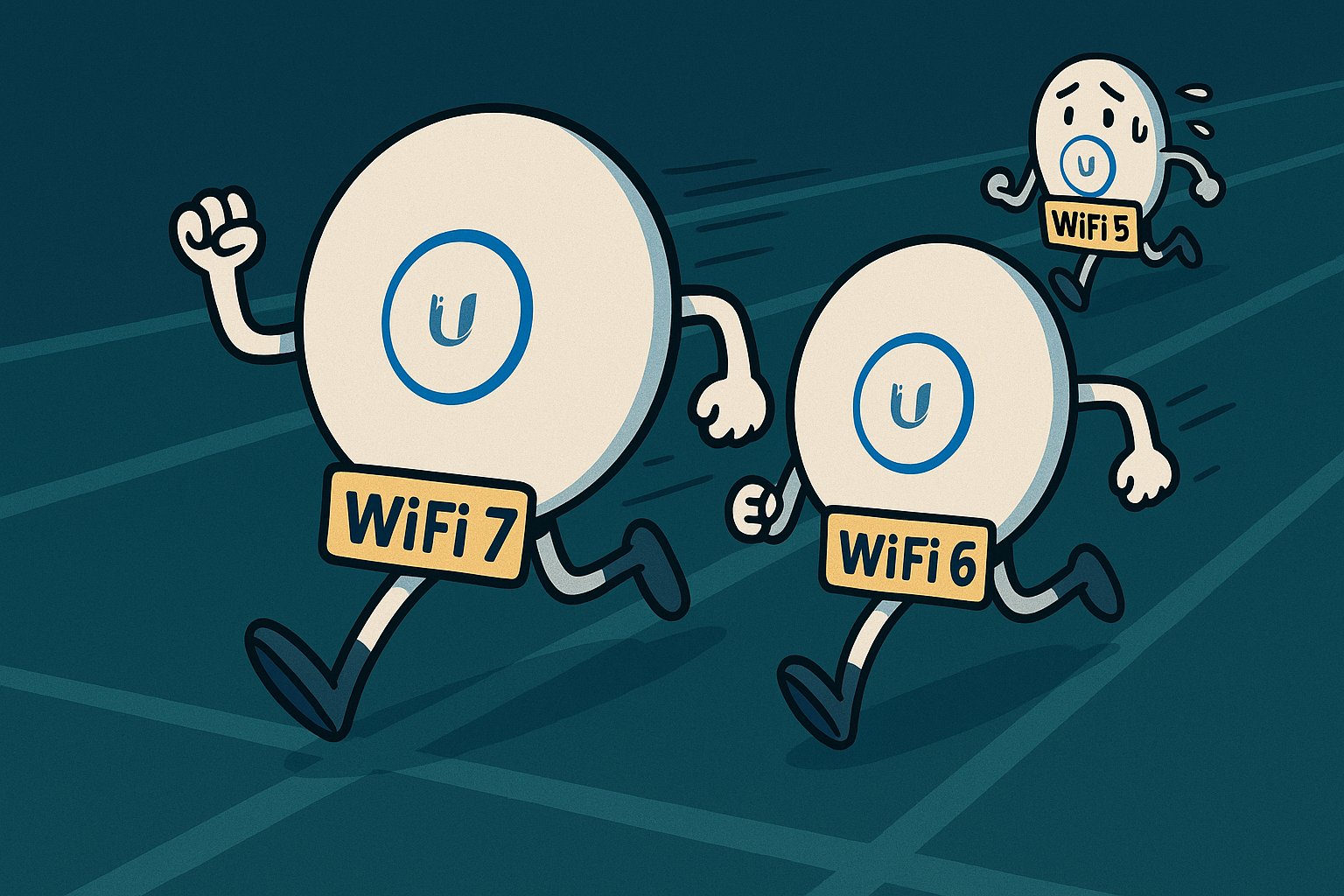
This UniFi U7 Lite review looks at real-world speed tests, setup, and whether Wi-Fi 7 actually makes sense for homes and small businesses right now.
Wi-Fi 7 is the latest wireless standard, promising faster speeds, lower latency and better efficiency. But if you look at most online reviews, they mainly focus on theoretical speeds and lab tests — not how it performs in real homes, with real devices and real walls.
We install UniFi networks every single week — across homes, businesses and larger multi-building sites. Over the years we’ve installed thousands of UniFi access points, including a growing number of the new U7 Lite models. I also have one running in my own house right now, powering the Mac I’m writing this on.
So this article isn’t just a spec sheet. It’s based on real installs, real usage… and some proper testing on a 2 Gbps internet connection.
What’s Inside This Review
UniFi U7 Lite Review – What You Need to Know First
In this UniFi U7 Lite review, the focus is on how this access point performs in the real world — not just on paper. Rather than chasing headline specs, this section sets the context for who the U7 Lite is actually for, what kind of networks it makes sense in, and where its strengths genuinely show up in everyday use.
IMPORTANT — The U7 Lite Is Not Full Wi-Fi 7
Before we go any further, there’s something you need to know straight away in this UniFi U7 Lite review:
The UniFi U7 Lite does not include the 6 GHz band.
It is a dual-band Wi-Fi 7 access point (2.4 GHz + 5 GHz), not a tri-band model.
That means:
- No dedicated 6 GHz Wi-Fi 7 spectrum for high-end devices
- No true “full” Wi-Fi 7 experience
- MLO (Multi-Link Operation) benefits are limited without 6 GHz
However — and this is the key takeaway — the UniFi U7 Lite can still deliver significantly higher real-world speedsthan the U6 Lite or U6+.
So while this isn’t a “complete” Wi-Fi 7 package, it is the first UniFi access point at this price point that can consistently exceed 1 Gbps over Wi-Fi. It also includes a 2.5 Gb Ethernet port, which is a major upgrade if you have fast fibre broadband or a high-performance NAS on your home network.
Need help choosing the right UniFi Access Point?
Explore our real-world experience with Ubiquiti Access Points in our Recommended Equipment Guide.

What is the Ubiquiti Unifi U7 Lite?
The Ubiquiti UniFi U7 Lite is the entry-level Wi-Fi 7 access point in the UniFi range. It sits in the same position that the U6 Lite and U6+ previously occupied – same physical footprint, same PoE power requirement, and designed for homes or light commercial environments.
But there are some important differences.
🔍 Key Facts
- Wi-Fi 7 (802.11be)
- Dual-band only — 2.4 GHz + 5 GHz (no 6 GHz)
- 2.5 Gb Ethernet port — first time at this price
- PoE powered
- Same mounting footprint as U6 Lite / U6+
- Works with UniFi Network Controller as normal
Amazon Links: If you enjoy these guides, using the Amazon links really helps support the channel and future content (at no extra cost to you).
Is the Ubiquiti Unifi U7 Lite really WiFi 7?
Yes — the Ubiquiti UniFi U7 Lite does use the Wi-Fi 7 standard (802.11be), and in this UniFi U7 Lite review it’s important to understand which Wi-Fi 7 features are actually supported.
The U7 Lite includes many of the key Wi-Fi 7 improvements, including:
- Wider channel widths (up to 320 MHz when conditions allow)
- Higher modulation (4096-QAM) for improved throughput
- Better efficiency and lower latency on multi-device networks
- Compatibility with Wi-Fi 7 devices, including newer phones and laptops
However — and this is a deliberate design choice — the UniFi U7 Lite omits the 6 GHz band, which means:
- It is dual-band only (2.4 GHz + 5 GHz)
- It is not a tri-band access point
- Some Wi-Fi 7 benefits — particularly those tied to 6 GHz spectrum — are not available
Why That Might Actually Work in Its Favour (for Now)
Although we haven’t personally experienced problems, there are a number of user reports on forums and tech-community sites complaining about early 6 GHz Wi-Fi 7 APs from Ubiquiti — citing issues such as:
- Device compatibility problems when using 6 GHz
- Connectivity drops or instability on 6 GHz networks
- Band-steering or roaming quirks when mixing 5 GHz and 6 GHz
Because the U7 Lite does not include 6 GHz, it bypasses all of those potential trouble areas. That makes it likely to be a more stable, predictable option — particularly for homes or small offices where reliability is more important than chasing the latest band.
How does the U7 Lite Compare to the U6 Lite / U6+?
The U7 Lite is clearly positioned as the next step up from the U6 Lite and U6+, and in this UniFi U7 Lite review it feels very familiar from an installation perspective. The form factor, mounting system, and PoE requirements are all the same — so for existing UniFi installs, there are no surprises.
However, there are some important differences that set the U7 Lite apart.
1. Wi-Fi 7 vs Wi-Fi 6
Wi-Fi 7 introduces:
- Faster theoretical speeds
- Lower latency (big for gaming & video calls)
- Better performance with multiple devices
- Smarter handling of interference
But in reality, the biggest difference most people will notice is speed — particularly if you have faster than gigabit internet or a fast local network.
2. 2.5Gb Ethernet Port
This is a major change. It’s the first time UniFi has put a 2.5GbE port on an access point at this price point. That opens the door to actual Wi-Fi speeds beyond 1Gbps, especially when combined with:
- 1.5–2Gbps home internet connections
- 2.5GbE PoE switches
- NAS or server setups with 2.5GbE links
We’ve tested this on a 2Gbps fibre connection, and it can go beyond gigabit over Wi-Fi — something the U6 Lite and U6+ can’t physically do.
3. Same Form Factor = Easy Upgrade
And a big bonus:
If you’re already using U6 Lite or U6+ access points, you can replace them directly without cutting new holes or changing your PoE budget. That makes upgrades much easier — and cheaper.
4. Better Support for Newer Devices
Wi-Fi 7 phones, tablets, and laptops are slowly appearing. Even without 6GHz, they can take advantage of:
- Higher modulation (4096-QAM)
- Less waiting time per packet
- Improved latency for video calls and gaming
Older devices still work perfectly fine — they just connect using Wi-Fi 6 or Wi-Fi 5 as normal.

U7 Lite
- WiFi 7
- Dual Band
- 2.5Gb Ethernet


U7 Pro
- WiFi 7
- Tri Band
- 2.5Gb Ethernet


U6+
- WiFi 6
- Dual Band
- 1Gb Ethernet
U7 Lite vs U6 Lite/U6+ specs
| Feature | U6 Lite/U6+ | U7 Lite |
| WiFi Standard | WiFi 6 | WiFi 7 |
| Bands | 2.4 and 5Ghz | 2.4 and 5Ghz (no 6Ghz) |
| Max PHY Rate | 1.5Gbps | 3Gbps |
| Ethernet Port | 1 x 1GbE | 1 x 2.5GbE |
| Power | PoE (Max draw 12W & 9W) | PoE (Max draw 13W) |
| Mounting | Standard plastic mount | Standard plastic mount |
| Real world speed | 600-800Mbps (5Ghz without obstruction) | 1-1.4Gbps (5Ghz without obstruction) |
| Cost (UK Ubiquiti Store) | £78 | £94.80 |
Real-World Speed Tests with the UniFi U7 Lite
I’ve been using the U7 Lite in my own home, and for this UniFi U7 Lite review it’s currently providing Wi-Fi to the Mac I’m writing this on. However, because my MacBook Air only supports Wi-Fi 6, I used an iPhone 16 for the proper speed tests, as it’s able to push this access point much harder.
These are not lab conditions — they’re real-world tests at normal home distances, through real walls, using a 2 Gbps fibre internet connection.
WiFi Settings
To keep things controlled and realistic, I didn’t use my normal Wi-Fi network. Instead, I created a new SSID that broadcasts only from this U7 Lite access point, and set it to 5 GHz only. That means no roaming between APs in the house, and no interference from 2.4 GHz traffic.


How Channel Width Impacts UniFi U7 Lite Performance
For the first round of tests, I set the channel width to 80 MHz, which is what many setups use by default and is usually reliable in UK homes.
But in follow-up tests, I’ll try:
- 160 MHz → much wider lane, more speed but higher chance of interference
- 240 MHz → available on Wi-Fi 7, even wider — but rarely used in real homes
That will give us a good idea of how much performance you actually gain from widening the channel… and whether it’s worth doing.
Ubiquiti U7 Lite WiFi Speed Test Results
Below are the results from this UniFi U7 Lite review, which may surprise you. I tested the Ubiquiti UniFi U7 Lite in three realistic locations around the house:
- Right next to the access point
- In the room next door – only a single stud wall between
- In another room further away – separated by an older external wall (double-skinned brick with a cavity)
| Device | Location | Channel Width | WiFi Standard | Speed Test Result Mbps (download/upload) |
| MacBook Air | Next to the AP | 80 | WiFi 6 | 474/667 |
| iPhone 16 | Next to the AP | 80 | WiFi 7 | 894/700 |
| MacBook Air | Room Next Door Stud Wall Between | 80 | WiFi 6 | 701/705 |
| iPhone 16 | Room Next Door Stud Wall Between | 80 | WiFi 7 | 542/482 |
| MacBook Air | Room Next Door Old External Double skin wall | 80 | WiFi 6 | 510/385 |
| iPhone 16 | Room Next Door Old External Double skin wall | 80 | WiFi 7 | 341/310 |
| MacBook Air | Next to the AP | 160 | WiFi 6 | 690/672 |
| iPhone 16 | Next to the AP | 160 | WiFi 7 | 1046/1304 |
| MacBook Air | Room Next Door Stud Wall Between | 160 | WiFi 6 | 795/608 |
| Room Next Door Stud Wall Between | 160 | WiFi 7 | 1087/864 | |
| MacBook Air | Room Next Door Old External Double Skin Wall | 160 | WiFi 6 | 517/274 |
| iPhone 16 | Room Next Door Old External Double Skin Wall | 160 | WiFi 7 | 900/456 |
| MacBook Air | Next to the AP | 240 | WiFi 6 | 800/774 |
| iPhone 16 | Next to the AP | 240 | WiFi 7 | 1219/1412 |
| MacBook Air | Room Next Door Stud Wall Between | 240 | WiFi 6 | 815/729 |
| iPhone 16 | Room Next Door Stud Wall Between | 240 | WiFi 7 | 1235/735 |
| MacBook Air | Room Next Door Old External Double Skin Wall | 240 | WiFi 6 | 486/271 |
| iPhone 16 | Room Next Door Old External Double Skin Wall | 240 | WiFi 7 | 645/449 |

The Results explained
The most interesting finding from the testing in this UniFi U7 Lite review was that the U7 Lite’s performance depends far more on channel width than anything else — and this is where the real difference between Wi-Fi 6 and Wi-Fi 7 devices becomes clear.
At 80 MHz, the MacBook Air (Wi-Fi 6) actually edged ahead, though only by a small margin.
Once the channel width was increased to 160 MHz, the iPhone 16 took a clear lead, regularly delivering over 1 Gbps.
At 240 MHz, the gap widened dramatically — the iPhone reached around 1,400 Mbps upload, while the MacBook remained at around 700 Mbps, almost unchanged from earlier tests.
A simple stud wall made very little difference to either device — both stayed close to their same-room results.
However, a double-skinned brick wall (brick–cavity–brick) reduced the speed on both devices — but the iPhone held its speed better, even at 240 MHz.
UniFi U7 Lite Review Verdict: Is It Worth Upgrading?
For most people, Wi-Fi 6 is still more than fast enough, and if your internet connection is under 1Gbps, upgrading just for speed won’t make a huge difference.
However — if you want the best wireless performance you can realistically get today, especially with modern devices, the U7 Lite stands out. In this UniFi U7 Lite review, it proved to be an excellent choice for users who want to push beyond traditional gigabit Wi-Fi without stepping up to higher-end, more expensive access points.
Despite only being dual-band, the U7 Lite makes use of wider channel widths — and that’s what allowed it to really pull ahead in the speed tests when used with Wi-Fi 7-capable devices. The difference wasn’t theoretical — it was noticeable, especially at 160 MHz and 240 MHz, where speeds started to go well beyond typical gigabit Wi-Fi results.
What makes the U7 Lite Standout?
- Affordable for a Wi-Fi 7 AP
- Same mounting bracket as U6 Lite/U6+ → easy upgrade
- PoE powered — no need for extra cables
- Can exceed 1Gbps over Wi-Fi with the right setup
- Reliable dual-band operation without 6GHz complications
A Quick Note on PoE Switches
To achieve the highest speeds, the U7 Lite must be connected to a 2.5Gbps PoE switch. That’s where costs begin to climb — and it may not be necessary for every setup.
However, even when connected to a standard gigabit switch, it still comfortably achieved speeds in the high 900Mbps range, which is already faster than most wired connections in people’s homes.

Flex 2.5 PoE
- 2 x 10Gb
- Up to 210W
- 2.5Gb PoE

Pro Max 16
- 2 x 10G
- 180W
- 2.5Gb PoE

Flex 2.5
- 2 x 10G
- Non PoE
- 2.5Gb
Final Thoughts on the Ubiquiti Unifi U7 Lite
If you already have U6 Lite or U6+ access points and your Wi-Fi is working well, there’s no urgent need to upgrade. But if you’re building a new system, have faster-than-gigabit internet, use modern phones or laptops — or simply want to future-proof your setup — the U7 Lite is a very sensible step forward.
I hope you enjoyed the blog. Please feel free to add your comments below and let us know how your experience has been with the U7 Lite. If you want to see these Access Points in the wild you can check out our Instagram Page.
Author: Huw Jones – Home Network Solutions Berkshire
Huw is a UniFi specialist and the owner of Home Network Solutions Berkshire, providing professional networking, CCTV, gate automation and smart home installations across the UK. With years of hands-on experience and a growing YouTube audience at @home.network.solutions, Huw creates practical, no-nonsense guides to help homeowners and installers get the best out of their UniFi systems.
Leave a Reply